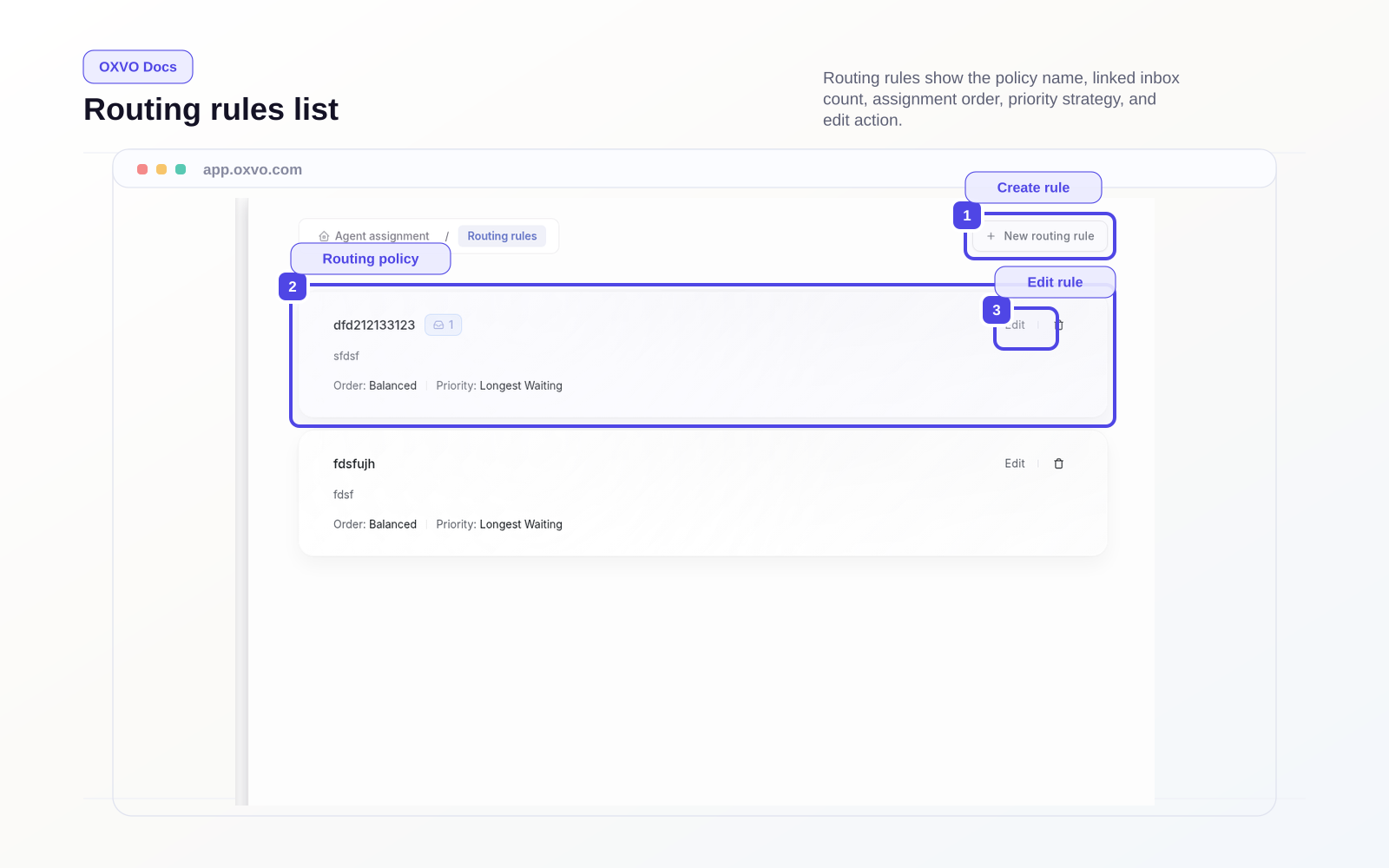
Configure routing rules
Use Routing rules to control how new conversations are distributed across your team.
Open directly: Open Routing Rules
Create a routing policy
- Open the Routing rules page.
- Select Create policy.
- Enter a policy name and description.
- Set policy status (active or inactive).
- Choose assignment order and priority behavior.
- Save the policy.
Routing controls you can configure
Routing rules support key routing controls:
- Assignment order: round robin, or balanced distribution where available
- Conversation priority strategy: earliest created or longest waiting
- Fair distribution settings: maximum conversations per time window
- Inbox mapping: link specific inboxes to this policy
Link inboxes to a routing rule
- Open an existing routing rule.
- Add inboxes from the policy inbox selector.
- Confirm reassignment if an inbox is already linked elsewhere.
- Verify assigned inbox count in the list view.
Note: An inbox can use one routing rule at a time.
Rollout best practices
- Start with one high-volume inbox first.
- Monitor routing consistency for at least one full shift.
- Adjust priority strategy before changing multiple settings at once.
- Keep inactive draft policies for planned experiments.
Related setup guides