Use macros for faster, consistent replies
Macros are reusable actions that help agents handle common conversation patterns quickly and consistently.
Where to find it
Open the Macros page from Settings, or use the direct link.
Open directly: Open Macros
When to use macros
Use macros when your team repeatedly performs the same sequence, such as:
- Asking for missing account details
- Sending verification or next-step instructions
- Escalating to a specialist workflow
- Applying labels and setting priority in one action
Create a macro
- Open the Macros page.
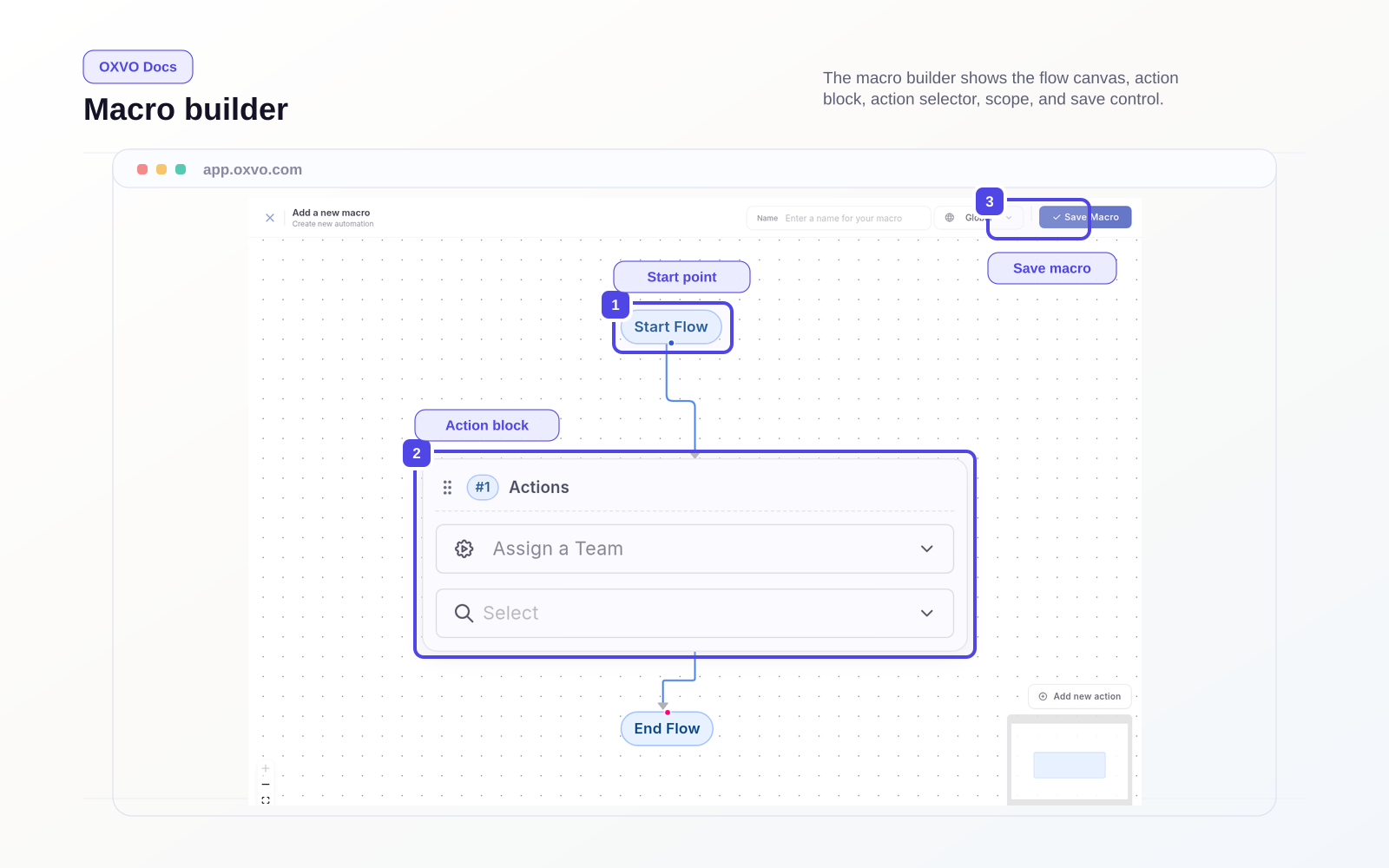
- Select Add a new macro.
- Name the macro clearly by intent.
- Add the actions the macro should run.
- Save and test on a non-critical conversation.
Macro design guidelines
- Keep each macro focused on one clear outcome.
- Prefer short, explicit text over long generic responses.
- Avoid overlapping macros that do nearly the same thing.
- Review usage monthly and retire low-value macros.
Tips for safe rollout
- Start with high-volume use cases first.
- Keep one owner for macro quality and naming.
- Validate macro behavior after UI or workflow changes.
Related guides
- Work the Inbox
- Use canned responses for fast, consistent replies
- Automate conversation workflows with rules
- Set measurable SLA policies
- Standardize conversation labels