Standardize conversation labels
Labels help teams classify conversations consistently for triage, reporting, and automation.
Open directly: Open Labels
Create your label taxonomy
Before adding labels, define a simple naming system your team can follow.
Good examples:
billingrefund_requestvipbug_report
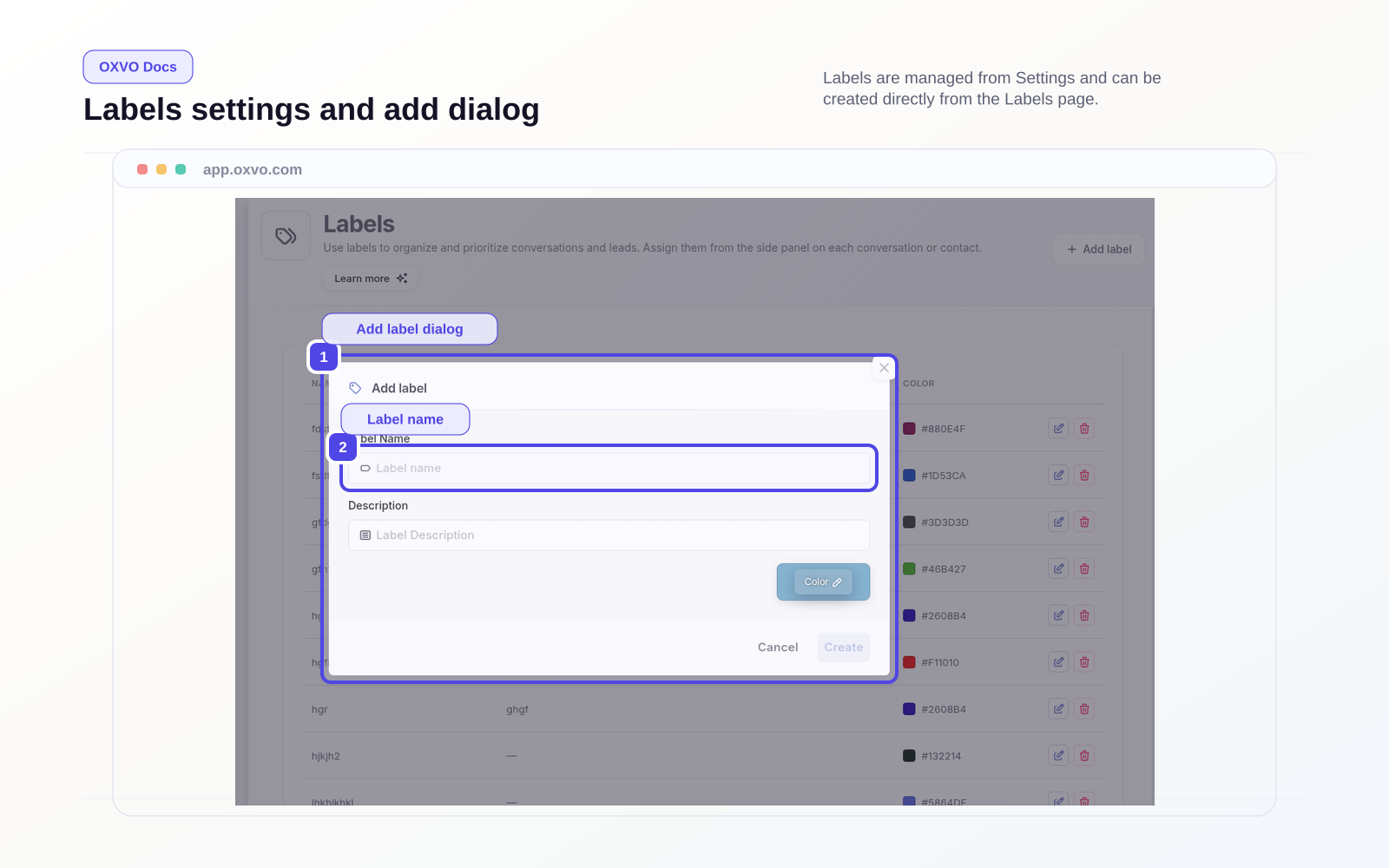
Add a label
- Open the Labels page.
- Select Add label.
- Enter a label name and short description.
- Pick a color that is easy to distinguish.
- Save and start applying the label in conversations.
Keep labels useful over time
- Avoid duplicate meanings across multiple labels.
- Merge or remove labels that are rarely used.
- Keep names short and consistent.
- Review top labels monthly with support leads.
Note: A smaller, well-governed label set is easier to search, report on, and automate.
Related setup guides