Developer webhooks
Developer webhooks stream OXVO events to external systems so your backend can react in real time.
Where to find it
Open Settings → Developer → Webhooks, or use the direct link.
Open directly: Open Developer Webhooks
When to use webhooks
Use webhooks when you need to:
- Sync conversation updates into internal systems
- Trigger automation pipelines from support activity
- Update CRM, billing, or ticketing records
- Monitor operational events outside OXVO
Create a webhook endpoint
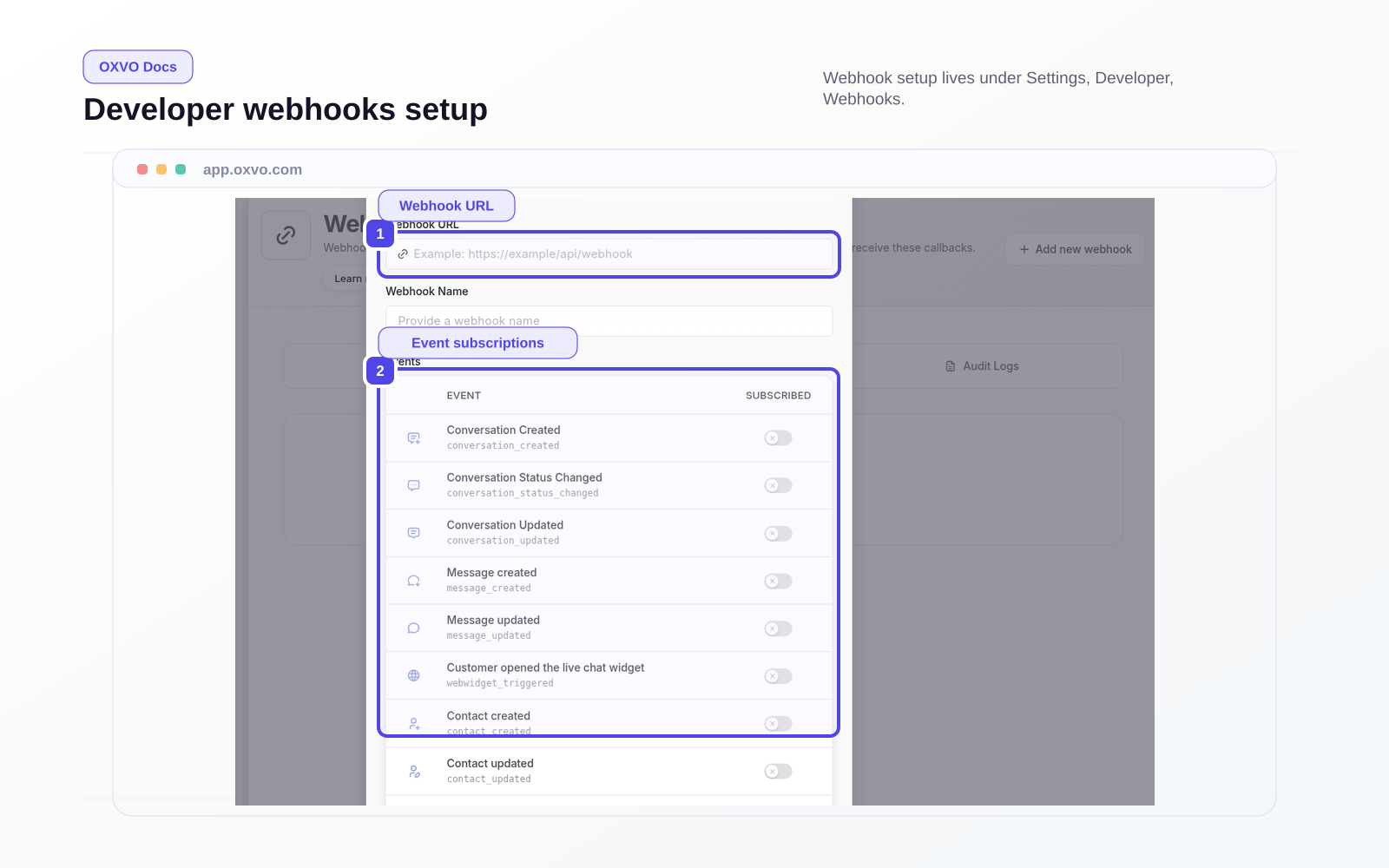
- Open the Developer webhooks page.
- Select Add new webhook.
- Enter an HTTPS endpoint URL.
- Add an internal name (optional but recommended).
- Select subscribed event types.
- Save and run a controlled test.
Supported event types
Common events include:
conversation_createdconversation_updatedconversation_status_changedmessage_createdmessage_updatedcontact_createdcontact_updatedwebwidget_triggeredconversation_typing_onconversation_typing_off
Delivery and reliability guidance
- Return a fast
2xxresponse from your endpoint. - Process heavy logic asynchronously in your backend.
- Make handlers idempotent to tolerate retries.
- Log failures with enough context for replay.
Warning: Do not subscribe to every event on day one. Start with the smallest event set your integration needs.
Related guides