AI in OXVO
OXVO AI works across the OXVO workspace: Builder, Inbox, Assistants, Sessions, and product improvement workflows.
Use it to build apps, support customers, summarize context, investigate behavior, and turn real product signals into better next steps.
Where to find it
Open OXVO Builder to create and iterate on apps with AI Chat, preview context, visual editing, Builder Cloud, and Auto Improve.
Open OXVO Assistant to configure assistant behavior, knowledge, model settings, and approved tools for support workflows.
Open Session Replay and AI Insights to review behavior-focused signals from sessions, events, replays, and product activity.
When to use it
Use AI when your team needs to:
- create or refine an app from a prompt
- make targeted product, UI, or copy changes
- draft or improve support replies
- summarize conversations for handoff
- retrieve knowledge faster
- analyze behavior signals from Sessions
- identify repeated friction across support and product usage
- prepare improvement cycles from connected product signals
AI areas in OXVO
OXVO Builder
Builder is the AI app-building surface inside OXVO.
Use Builder to:
- start new apps from prompts
- import supported GitHub projects
- iterate in app-scoped AI chats
- review live previews, code, problems, and security signals
- use visual editing for supported text and image changes
- enable Builder Cloud when the app needs managed auth, database, storage, secrets, or backend operations
- prepare publishing and deployment workflows
- use Auto Improve when the active app should learn from connected support, replay, bug, traffic, and usage signals
Agent-facing writing assistance
In conversation composition workflows, AI can support:
- reply suggestions
- summaries
- grammar and spelling fixes
- tone and style rewrites
- faster handoffs between agents and teams
OXVO Assistant configuration
From OXVO Assistant settings, admins can configure:
- assistant behavior and instructions
- model selection for editor, assistant, and copilot features
- knowledge sources
- custom tools
- feature toggles such as label suggestion, help center search indexing, and audio transcription
Sessions AI insights
In OXVO Sessions, AI can help teams understand behavior signals around:
- replay patterns
- friction points
- product analytics
- errors and issue evidence
- session context connected to support workflows
Auto Improve
Auto Improve is a Builder workflow that becomes more useful when the active app is connected to richer product signals.
Those signals can include:
- customer chats
- support issues
- session replays
- replay behavior
- traffic
- bugs
- errors
- product usage patterns
Use review mode when your team wants Builder to prepare the next improvement cycle and wait for confirmation before continuing.
Recommended enablement sequence
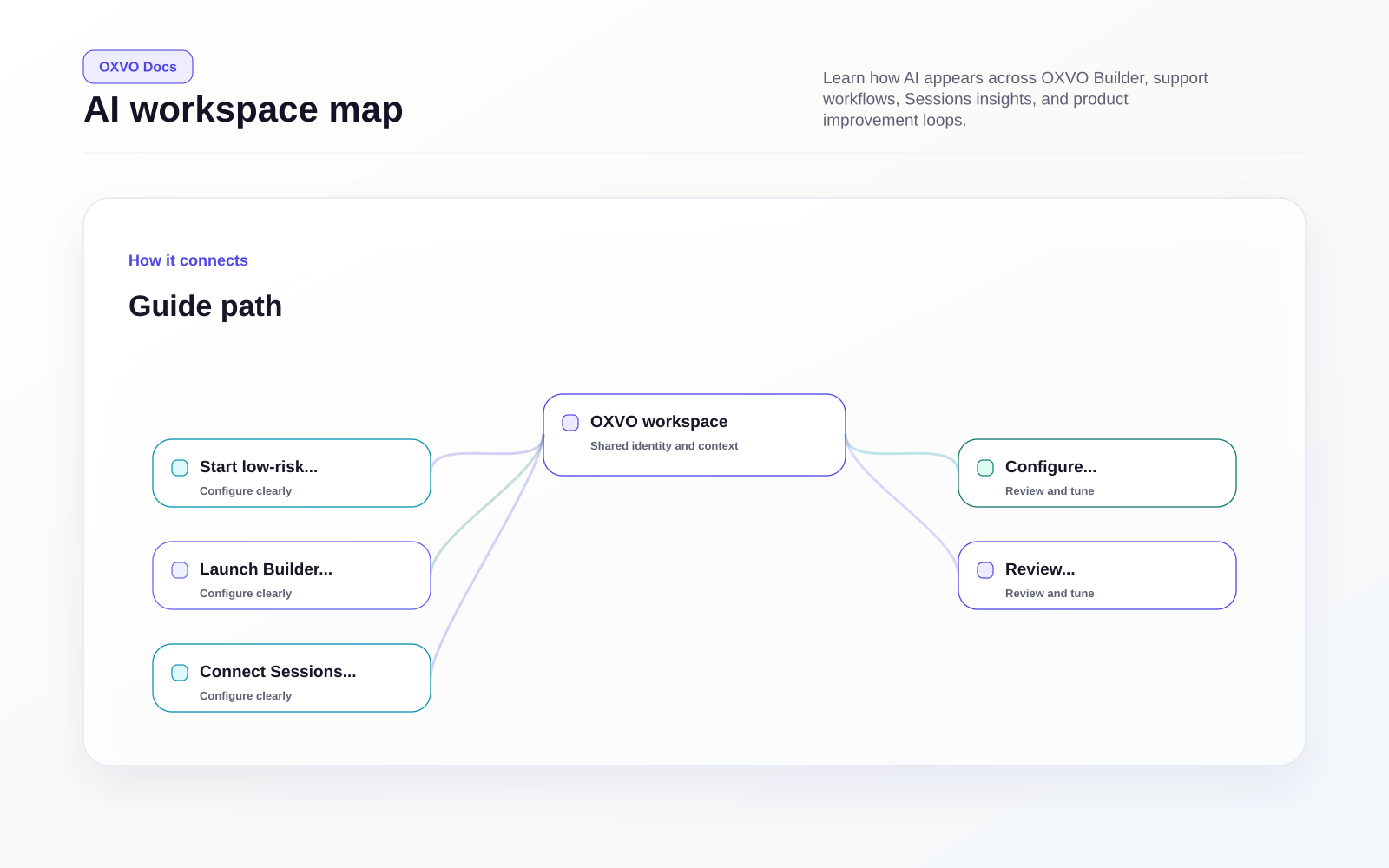
- Start with low-risk support writing assistance such as summaries or reply improvements.
- Configure Assistant instructions, knowledge, and escalation rules.
- Launch Builder with one controlled app or imported project.
- Review preview, problems, and security output before publishing.
- Connect Sessions and product signals only after privacy controls are configured.
- Enable Auto Improve on paid Builder workspaces when the team is ready to review AI-guided improvement cycles.
- Monitor output quality and adjust workspace settings, permissions, and model access.
Governance recommendations
- Require human review before sending AI-generated replies.
- Keep Builder changes reviewable when the app or workflow is sensitive.
- Track where AI is used for transparency.
- Keep sensitive data out of prompts unless approved by policy.
- Configure masking and retention before using replay data broadly.
- Limit model, tool, and Auto Improve access to appropriate roles.
- Use read-only external tools first before enabling action-oriented tools.
Note: Some AI and Builder features may not be visible until they are enabled for your workspace, plan, role, or deployment environment.